Washi Tape Canva Frame Template Editable: Creative Branding
There is a specific kind of energy that comes from mixing digital precision with tactile charm. When you are building a brand or curating content, you want your visuals to feel personal and handcrafted, but you also need the efficiency of digital tools. This is exactly where the Washi Tape Canva Frame Template Editable fits into the modern creative workflow. It bridges the gap between the convenience of a PDF delivery and the aesthetic of handmade artistry. Because this is a digital file rather than a physical product, you eliminate the waste and storage issues of actual washi tape while gaining infinite scalability.
Defining the Aesthetic: Texture Meets Digital Ease
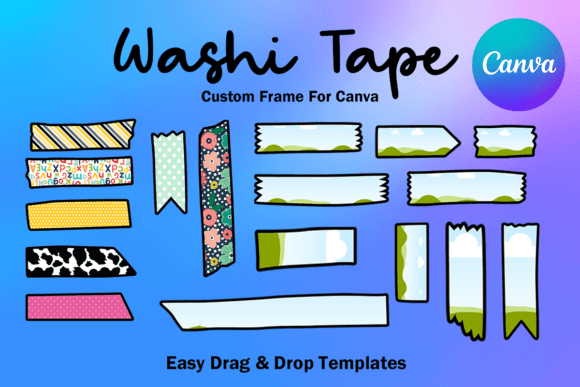
Visually, this collection is defined by its playful imperfection. Washi tape is known for its semi-translucent texture and whimsical patterns, and these 17 custom-made templates capture that personality perfectly. The style is inherently casual yet decorative, offering a "bullet journal" or "scrapbook" feel that resonates with audiences who value authenticity. The overall appeal lies in its ability to make a digital asset look tangible. It breaks the rigidity of standard grid layouts, adding movement and visual interest to otherwise static pages.
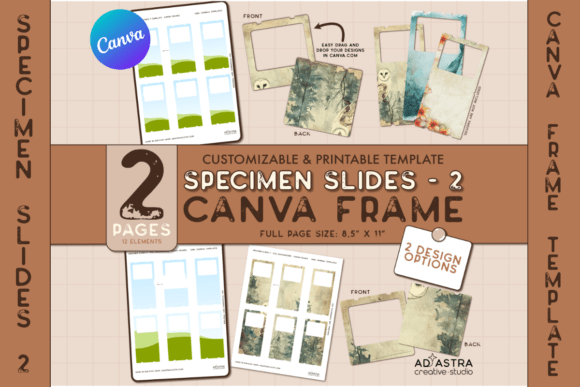
It is important to understand the nature of the file you are working with. This is not a collection of PNGs or SVGs; it is an editable Canva frame template. The file arrives as a PDF containing a link that directs you straight into Canva. Once there, the transparent layers allow you to treat the frames as masks. You can drag and drop your photos behind the tape strips, creating a layered composition that looks like it was assembled on a physical desk. This is a game-changer for those who need professional results without a steep learning curve in complex software like Photoshop.
Strategic Applications for Entrepreneurs and Creators
For small business owners, marketers, and content creators, consistency is the currency of brand identity. The Washi Tape Canva Frame Template Editable serves as a distinct design asset that can unify your visual language across multiple platforms.
Elevating Social Media Graphics and Marketing
In the realm of social media, stopping the scroll is the primary objective. Standard stock photos often get ignored, but an image framed with decorative tape creates a focal point that feels organic. Use these frames for Instagram posts to highlight customer testimonials or product features. The "polaroid" or "pasted-in" effect suggests a story behind the image, increasing audience engagement. Because the template is Letter Size (8.5x11 inches), it is also perfectly suited for digital flyers and Pinterest pins, allowing you to maintain a cohesive aesthetic from your social feed to your downloadable lead magnets.
Editorial Design and Branding
For bloggers and publishers, the visual hierarchy of a page determines how long a reader stays. These frames act as visual anchors. Instead of placing a photo in a standard square, wrapping it in digital washi tape draws the eye immediately. This technique works exceptionally well in lifestyle blogging, recipe cards, and educational PDFs. It softens the corporate edge of modern typography, making your brand identity feel more approachable and human. It tells your audience that you care about the details, which translates to perceived professionalism.
Product Mockups and Packaging
If you sell physical goods, particularly in the stationery or craft niche, this template is invaluable. You can use the frames to create mockups for packaging inserts or thank-you cards. The style mimics the DIY aesthetic popular in the Etsy marketplace. By using an editable template, you ensure that your "handmade" look is consistent across hundreds of orders, saving you the time of physically taping items down for a photo. It is a practical solution for maintaining a high-volume content calendar.
Technical Flexibility and Workflow Optimization
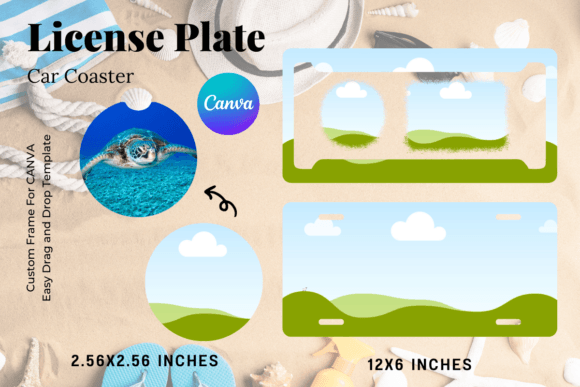
One of the strongest arguments for using the Washi Tape Canva Frame Template Editable is the flexibility it offers regarding sizing and output. The templates are designed with approximate sizing in mind, but because they utilize vector-like properties within Canva, they can be sized up or down to suit your needs without pixelation. Whether you are designing a massive poster or a tiny sticker, the lines remain crisp.
The workflow is intuitive. You open the link, select the frame you wish to use, and simply drag your image into the designated area. The transparency layer ensures that the tape overlaps the image naturally, creating depth. This ease of use makes it an excellent resource for teams. If you have a virtual assistant or a junior designer, they can produce high-quality, branded assets quickly without needing to understand complex masking techniques. It democratizes good design, allowing anyone with a Canva account to produce editorial-grade layouts.
Practical Guidance for Implementation
To get the most out of this resource, consider how it interacts with your existing design assets. The washi tape aesthetic pairs best with clean, sans-serif fonts or handwritten script fonts. If your brand relies on heavy, gothic serifs, the tape might feel disjointed. However, if your brand identity leans towards the creative, educational, or lifestyle sectors, this is a natural fit.
When evaluating the fit for a specific project, look at the color palette of the tape patterns. While many digital washi tapes are neutral or pastel, ensure they complement your photography. If you are working with sublimation or vinyl printing, the transparency of the layers is crucial. Test a small section first to ensure the "cut out" effect renders correctly on your specific printer or substrate. Remember, the goal is to enhance the image, not distract from it. Use the frames to guide the viewer's eye toward the subject of your photo, creating a balanced composition that feels both intentional and delightfully messy.