Create Pro Basketball Graphics Instantly with Canva Frames
Designing compelling sports graphics often feels like a bottleneck for creators. You need high-quality assets for social media, team announcements, or merchandise, but sourcing original photography or learning complex software like Photoshop or Affinity Designer isn't always feasible. This is where the workflow changes. Customizable Basketball Canva Frames bridge the gap between professional design standards and accessible, everyday creation. They provide a structured, high-impact foundation for your basketball-themed projects, allowing you to focus on creativity rather than technical execution.
What Exactly Are These Canva Frames?
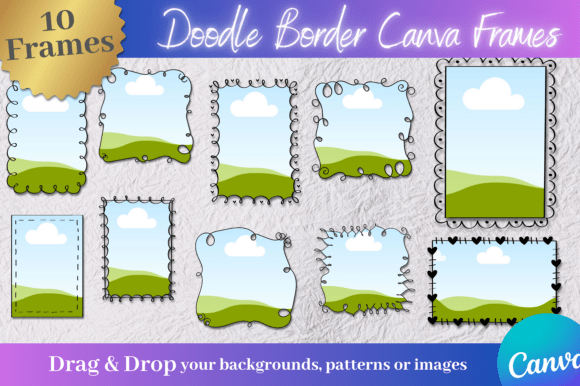
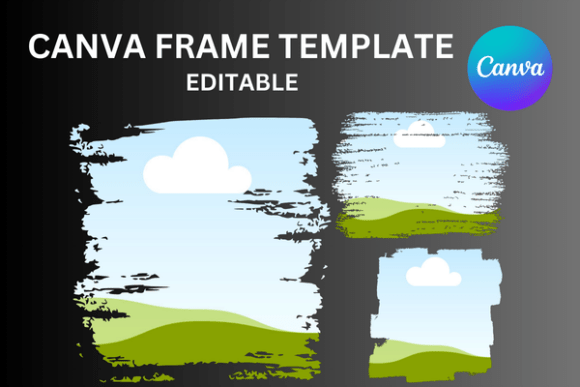
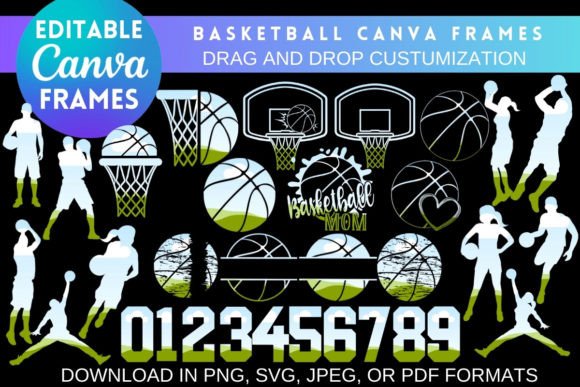
Think of these frames as specialized design assets built specifically for the Canva platform. They aren't just static images; they are dynamic, editable templates designed to hold and showcase your content. Visually, they range from clean, modern border styles to more elaborate, thematic compositions featuring basketball elements like hoops, balls, and dynamic court lines. The "frame" itself acts as a container, creating a clear focal point for your imagery or text. The overall appeal lies in their versatility and professional finish. They provide a polished, consistent look that can be difficult to achieve from scratch, especially when working under tight deadlines.
The true power is in the customization. Each frame is a Canva template link. When you open it, you unlock the ability to manipulate every layer. You can change the color of the basketball elements to match a team's palette, adjust the thickness of borders, or modify the background entirely. The core instruction is simple: drag and drop your own background, a player photo, or custom art into the designated areas. This process transforms a generic template into a personalized piece of design in minutes.
Practical Applications for Creators and Businesses
The utility of these basketball frames spans a wide array of projects. For social media managers and content creators, they are a game-changer for Instagram posts, Facebook banners, or YouTube thumbnails. Instead of using the same tired stock photos, you can create a consistent series of graphics for a tournament, a fantasy league, or a sports blog. The visual hierarchy is built-in—the frame draws the eye to the central image, ensuring your key message or player photo gets immediate attention.
For small business owners and entrepreneurs in the sports niche, these assets are invaluable for branding and marketing. Consider a local basketball camp, a sports apparel brand, or a fitness coach. Using a consistent set of frames across flyers, digital ads, and email headers builds brand identity and recognition. The frames act as a reusable design element, ensuring every piece of collateral feels cohesive and professional. This consistency strengthens audience engagement because the visual language becomes familiar and trustworthy.
Crafters and hobbyists also find immense value. The frames are perfect for creating personalized gifts, team posters for a child's league, or digital invitations for a basketball-themed party. The process is straightforward enough for anyone to use, yet the output looks like it was made by a designer. This accessibility is the core benefit—it democratizes quality design for personal and commercial use.
How to Evaluate and Integrate These Assets
Choosing the right frame involves more than just picking a design you like. Start by evaluating the project's context. Is it for a fast-paced, energetic Instagram story or a formal tournament bracket? The frame's style should match the tone. A sleek, minimalist frame with a sans serif font pairing works well for modern branding, while a more textured, hand-drawn style might suit a youth league or a casual blog.
Testing is crucial. Before committing to a final design, experiment with font pairings and color palettes. Canva's free version offers thousands of options, but for a truly unique look, you might use a premium font you own. The frames are designed to be a backdrop, so ensure your typography—whether a bold display font for headlines or a clean sans serif font for body text—complements rather than competes with the frame's elements. Readability should always be the priority. Test your design on a mobile screen to ensure text is legible and the composition remains clear.
Understand the licensing. These are instant digital downloads. You will receive a PDF with a link to open the template directly in your Canva account. There is no physical product. For commercial use, such as selling finished designs on merchandise, always review the terms provided with your purchase. Typically, you can sell the final, flattened image (like a JPEG or PNG) but not redistribute the editable template file itself. Canva Pro is recommended if you need to download your final design with a transparent background, which is essential for layering graphics onto other products or mockups.
A Real-World Design Observation
I recently worked with a local sports photographer who was struggling to promote his services on social media. His photos were excellent, but his graphics were generic. We integrated a set of customizable basketball frames into his workflow. By using a consistent frame for his "Player of the Week" features and another for his booking promotions, his feed gained immediate visual cohesion. The frames provided the professionalism and structure his content lacked, allowing his photography to shine within a branded context. This small change improved his engagement because his audience could instantly recognize his posts in a crowded feed.
The takeaway is simple: effective design isn't always about complexity. Sometimes, it's about having the right tool for the job. Customizable Basketball Canva Frames are that tool—a practical, efficient solution for creating polished, engaging graphics that serve real creative and business needs. They empower you to produce work that looks intentional and professional, whether for a client, a customer, or your own personal project.