Transform Projects with A4 Junk Journal Border Overlays
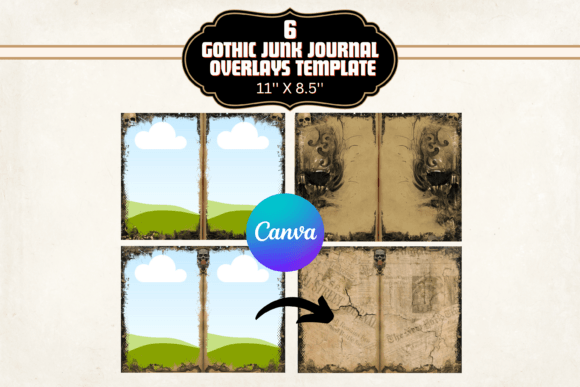
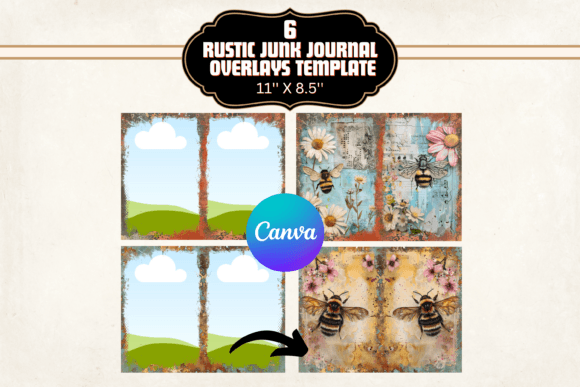
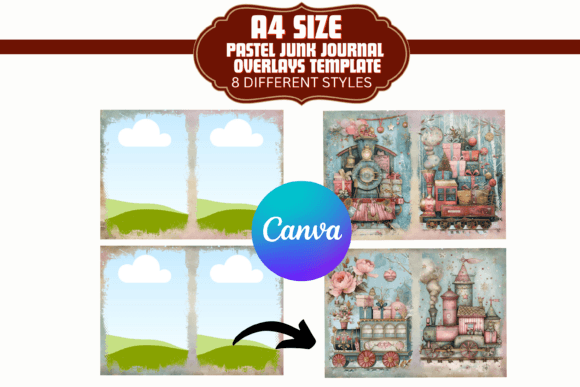
The A4 Junk Journal Border Canva Template set is a practical design asset that brings a distinct, textured aesthetic to your creative work. It consists of eight unique overlays, each featuring a grunge border style. Think of it as adding a worn, vintage frame to your digital or physical pages. These are not clean-cut, geometric borders. Instead, they have irregular edges, subtle distress marks, and a rustic personality that evokes the feel of aged paper or repurposed materials. The visual appeal lies in this imperfection—it adds character, depth, and a sense of history to any project. For a designer or crafter, it's a shortcut to achieving that authentic, handmade look without spending hours in Photoshop creating texture from scratch.
This template set is fundamentally a collection of design assets built for Canva, making it highly accessible. You don't need advanced software skills. The overlays are layered, allowing you to place your own images or text within the frames and adjust the layers to control how the border interacts with your content. The A4 size makes them immediately useful for standard journal pages, scrapbook layouts, and printable cards. The included PDF instructions are straightforward, guiding you through accessing and manipulating the templates in Canva's editor.
Where This Template Set Truly Shines
While the name suggests junk journaling, the applications extend far beyond that niche. The grunge border overlays function as a powerful creative font for your visual layout—they set the tone and personality of the page. Consider using them in these contexts:
- Brand Collateral for Artisan Businesses: A small business selling handmade goods, vintage items, or artisanal products can use these overlays in product photography, thank-you card designs, or social media graphics. The rustic style reinforces a brand identity rooted in authenticity and craftsmanship. It helps create a cohesive brand identity across packaging inserts, website banners, and Instagram stories.
- Editorial and Publishing Projects: For bloggers, zine creators, or indie publishers, these borders can frame featured images, create section dividers, or style chapter headings in a digital PDF. They add a tactile, editorial design quality that makes a digital document feel more curated and less sterile.
- Marketing and Content Creation: Marketers can use the overlays to design social media graphics that stand out in a feed of sleek, minimalist templates. The texture and grit catch the eye and convey a message of substance and individuality. Use them for quotes, announcements, or testimonial graphics to add a layer of visual interest.
- Personal and Hobbyist Projects: This is where the templates are most at home. Create personalized scrapbooks, memory journals, recipe books, or planners. The process of adding your photos and text to these pre-designed frames makes the creative process faster and more enjoyable, especially for those who aren't professional designers.
The key is matching the style to the project's needs. This premium font of texture works best where a human, organic, or vintage feel is desired. It would be less suitable for a corporate financial report or a tech startup's sleek app interface, where clean sans serif font styles and sharp lines are more appropriate.
Practical Guidance for Using These Design Assets
When you integrate the A4 Junk Journal Border Canva Template into your workflow, think of it as choosing a typeface for your page's frame. Here’s how to evaluate and use it effectively:
- Evaluate the Project Fit: Does your project benefit from a distressed, textured, and vintage aesthetic? If you're aiming for modern, minimalist, or highly polished professionalism, this isn't the right tool. But for projects that value warmth, history, or a handmade quality, it's an excellent choice.
- Consider Readability and Hierarchy: The border is a dominant visual element. Ensure your text and central imagery have enough contrast and breathing room. Use the layers to adjust the overlay's opacity or position so it frames rather than overwhelms your content. A strong display font for headlines might pair well, but ensure body text remains in a legible, clean serif font or sans serif font.
- Test Font Pairings and Styles: The overlays have a personality that will influence your typographic choices. Pair them with fonts that complement their character. A script font or handwritten font can enhance the personal, artisanal feel. A sturdy serif font can ground it with classic readability. Avoid overly futuristic or geometric fonts that might clash.
- Leverage the Included Styles: You get eight different borders. Don't just pick one. Use different overlays from the same set to create visual variety across a multi-page project while maintaining a consistent style. This is a simple way to achieve visual hierarchy and keep a journal or scrapbook looking dynamic.
- Review Commercial Use: The product description doesn't specify a commercial font license, but since these are design assets for Canva, you must verify the terms. Typically, templates sold for Canva allow for commercial use in end products (like a printed journal you sell or a social media graphic for your business), but you cannot resell the template file itself. Always check the license before using in client work or products for sale.
For instance, if you're creating a series of recipe cards for a food blog, using one consistent A4 Junk Journal Border Canva Template overlay across all cards creates a unified look. You might use a script font for recipe titles and a clear sans serif font for ingredients. The border adds a cozy, kitchen-table feel that plain white cards lack. Similarly, for a small brand's Instagram highlight covers, using these textured frames can make each highlight look like a curated page from a physical book, enhancing brand recognition through consistent, styled social media graphics.
Ultimately, this template set is a utility for adding a specific layer of style efficiently. It bridges the gap between a blank canvas and a fully designed page, offering a starting point rich with texture and personality. By understanding its visual strengths and pairing it with appropriate typography and layout choices, you can elevate projects from simple to thoughtfully crafted, whether for personal keepsakes or professional brand identity materials.