Streamline Your Tumbler Business with Canva Frame Templates
In the world of modern product design, speed and precision are your greatest assets. For creators working with 20oz skinny tumblers, the transition from a digital concept to a physical sublimation print can often be fraught with alignment issues and sizing errors. This is where the Canva Frame Tumbler Template 20oz Skinny steps in as a critical design asset. It is not merely a graphic; it is a fully editable digital environment designed specifically for the unique dimensions of tapered and straight skinny tumblers. By utilizing this template, you bypass the technical headaches of file conversion and focus entirely on the creative branding that sells your product.
Anatomy of the Digital Asset
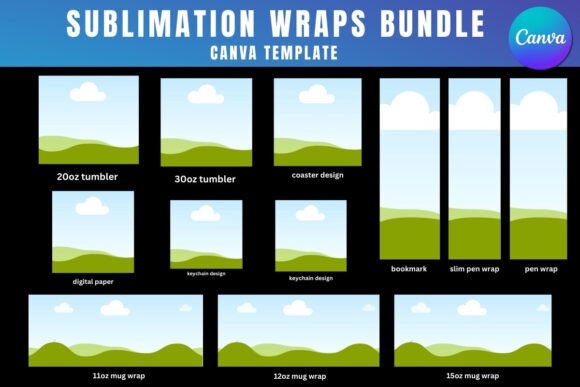
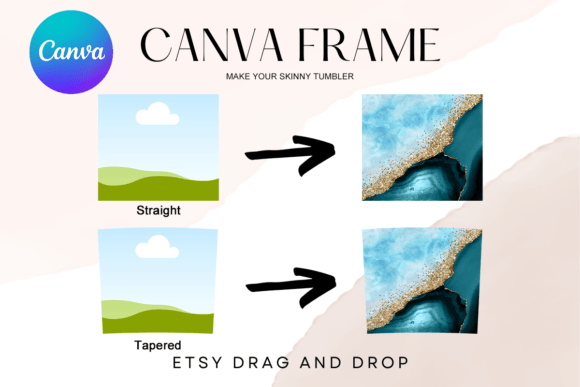
It is vital to understand exactly what this product is to get the most out of it. This is a digital file, meaning there are no physical props included. Upon purchase, you receive a single PDF file containing a direct link to two custom-made Canva frame templates. These templates are pre-configured to the industry-standard dimensions for 20oz skinny tumblers: 9.3" x 8.2". This specific ratio is crucial for ensuring that your artwork wraps seamlessly around the curvature of the tumbler without distortion.
The package includes two distinct variations to cover the most popular styles of drinkware on the market:
- The Tapered Frame: Designed for the classic skinny tumbler that narrows slightly toward the bottom, this frame accounts for the perspective shift that occurs during the sublimation process.
- The Straight Frame: Tailored for the modern, cylindrical straight-wall tumblers, this frame ensures your graphics remain level and true throughout the wrap.
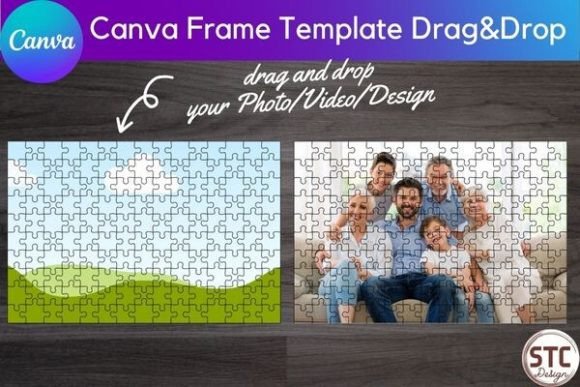
Unlike static image files such as PNGs or SVGs, this is an editable Canva frame template. This distinction is the core value proposition. You are not just getting a picture of a tumbler; you are getting a dynamic workspace where you can drag and drop your own artwork, photos, and text directly onto the mockup. The transparent layer system allows you to visualize exactly how the final product will look before you ever hit print, making it an indispensable tool for packaging design and product visualization.
Elevating Brand Identity and Visual Hierarchy
For entrepreneurs and small business owners, consistency is the currency of trust. When a customer orders a custom tumbler, they expect the final product to match the preview they saw online. The Canva Frame Tumbler Template 20oz Skinny plays a pivotal role in brand identity by allowing you to maintain strict visual hierarchy. Because the frame is transparent and editable, you can layer your logos, brand colors, and typography with pixel-perfect accuracy.
This level of control influences how your audience perceives your professionalism. A well-aligned design suggests a high-quality product. Consider the impact on readability: text that flows naturally around the curve of a tumbler is easier to read than text that has been awkwardly cropped or stretched. By using this template, you ensure that your display font or script font retains its intended style and legibility, regardless of whether you are using a bold sans serif font for a modern look or a delicate serif font for a vintage aesthetic.
Furthermore, the ability to size the design up or down to suit your needs means this single asset can serve multiple purposes. You can use the same core design for your 20oz product line and adapt it for social media graphics or web design previews, ensuring that your marketing materials look exactly like the physical product. This consistency across digital and print channels is what separates amateur operations from established brands.
Practical Workflow: From Concept to Sublimation
Integrating this template into your workflow is surprisingly straightforward, even for those with minimal design experience. The "drag & drop" functionality of Canva means you do not need expensive, complex software like Adobe Illustrator to create professional results. Here is how to maximize the potential of this premium font and design tool combination:
- Access and Setup: Open the PDF and click the link to open the templates in Canva. Select the frame (Tapered or Straight) that matches your physical inventory.
- Design Application: Upload your artwork. If you are creating a pattern, ensure it tiles correctly. If you are placing a logo, use the frame's boundaries to check that critical elements are not cut off at the seam.
- Typography and Pairing: Experiment with font pairing. A common strategy in editorial design and logo design is to pair a bold heading with a readable body text. Test how a handwritten font looks against a clean modern typography background within the frame.
- Sizing and Export: While the template is set to 9.3" x 8.2", you can adjust the scale if you are designing for a different vessel size. Once satisfied, you can download the design for sublimation printing.
This process eliminates the guesswork. Instead of printing a test sheet and physically wrapping it around a tumbler to check alignment, you can do it digitally. This saves ink, paper, and time—resources that are vital for any growing business.
Strategic Applications for Creators and Marketers
The utility of the Canva Frame Tumbler Template 20oz Skinny extends beyond just creating the product. It is a powerful tool for marketing and sales strategies. For content creators and bloggers, these templates can be used to create stunning mockups for product launches. Instead of staging a photoshoot for every new design, you can simply place your new graphic into the template and generate a clean, professional image for your website or Etsy listing.
For marketers, this asset is a time-saver during campaign planning. If you are running a promotional campaign featuring custom merchandise, you can quickly visualize different color schemes and slogans to see which resonates best with your audience. The ability to swap out designs instantly allows for rapid A/B testing of visual concepts.
Additionally, the transparent layer feature makes it ideal for vinyl sublimation preparation. You can use the frame to visualize how different textures—like glitter or matte finishes—will interact with your color palette. This is a nuanced aspect of packaging design that can significantly elevate the perceived value of your product.
Final Thoughts on Digital Design Assets
In an era where creative fonts and design assets are abundant, finding a tool that offers genuine utility is refreshing. This template is not just a static image; it is a functional workspace. It bridges the gap between the creative mind and the physical product. Whether you are a hobbyist making gifts for friends or a small business owner fulfilling hundreds of orders, the efficiency and precision offered by this Canva template are invaluable. It ensures that your brand identity remains sharp, your designs remain professional, and your production process remains smooth.