Design with Every State: Your Ultimate US Map Frame Template
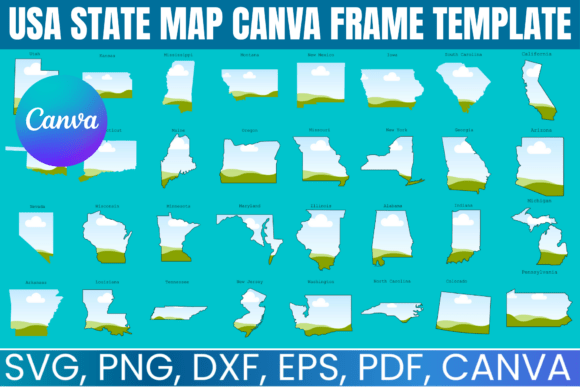
Imagine having the entire United States at your fingertips, not as a single static image, but as 50 individual, perfectly crafted frames ready to hold your most important designs. That’s the core promise of the USA State MAP Canva Frame Template. This isn't just a map; it's a versatile design toolkit that transforms the familiar geography of America into a dynamic canvas for your creativity. Each state, from the sprawling expanse of Texas to the compact shape of Rhode Island, is provided as a separate, editable frame. This structure offers a level of flexibility that a standard map graphic simply cannot match.
More Than a Map: A Modular Design System
Visually, the template set is clean and precise. The state outlines are accurate and vector-based, ensuring they scale perfectly whether you're creating a tiny social media icon or a large-format print. The personality of this asset is inherently versatile; it can feel patriotic, educational, data-driven, or purely artistic depending on your content. Its overall appeal lies in its utility. You receive multiple file formats—SVG for precision cutting, PNG for digital layering, DXF for Silhouette machines, and a direct Canva link for the most straightforward editing experience. This multi-format approach means the template integrates seamlessly into your existing workflow, whether you're a seasoned designer using Adobe Illustrator or a small business owner comfortable only with Canva's drag-and-drop interface.
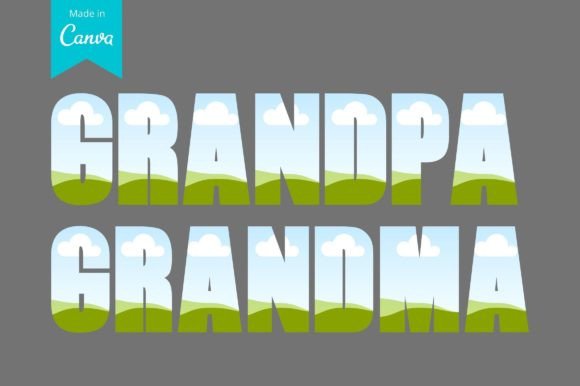
The true strength of this modular system is how it influences your design process. Instead of being confined to a pre-designed map, you can apply different treatments to individual states. This allows for incredible visual hierarchy. You might highlight your business's service areas with specific brand colors, create a travel blog graphic that focuses only on the states you've visited, or design an infographic where each state contains a unique statistic or image. The ability to isolate and customize each frame means your design can tell a more nuanced and engaging story.
Practical Applications Across Industries
For entrepreneurs and small business owners, the USA State MAP Canva Frame Template is a powerful branding and marketing tool. Use it to create compelling "We Ship Nationwide" graphics for your e-commerce store, placing your product imagery inside each state. Marketing teams can build regional campaign visuals, showcasing local testimonials or sales data within specific state frames. The template ensures brand consistency across these geographically targeted materials, as the core design element—the map frame—remains uniform and professional.
Content creators, bloggers, and publishers will find endless uses. Design a unique header image for a travel series, with each state frame featuring a snapshot from that location. Create an interactive "Where are you from?" graphic for social media engagement. For editorial design, these frames can visually organize information in a report or presentation, breaking down national data into digestible, state-by-state visuals that enhance readability and audience retention.
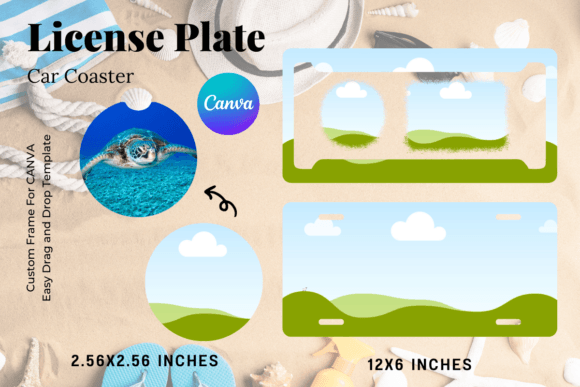
Crafters and hobbyists, particularly those with cutting machines like Cricut or Silhouette, can move from digital to physical creations. The included SVG and DXF files are optimized for this purpose. Imagine creating custom decals, layered paper art, or personalized gifts where a photo is carefully cut and fitted into a state-shaped frame. The template provides the precise outlines, freeing you to focus on material selection and assembly.
Integrating the Template into Your Workflow
Choosing the right tool for the job is crucial. The Canva link is perfect for quick edits, social media graphics, and projects where collaboration is key. For tasks requiring advanced manipulation—like creating complex custom shapes, adjusting anchor points for perfect cut lines, or integrating the frames into a larger vector illustration—the SVG format in a program like Adobe Illustrator or Inkscape is ideal. Always consider your final output. A social media post has different requirements than a vinyl decal or a printed poster.
When using the frames, think about the content you place inside them. High-contrast images work best for legibility, especially in smaller states. If you're overlaying text, consider the personality of the typeface you pair with the map. A clean, modern sans-serif font complements the geometric shapes, while a handwritten script might add a personal, crafty touch. The frame itself acts as a strong visual container, so the internal design should be balanced to avoid a cluttered feel.
Remember, this is a digital design asset with a commercial license for the end products you create. You can use the frames to design physical items for resale, which opens up possibilities for Etsy shop owners, print-on-demand businesses, and local artisans. The key is to use the template as a starting point for your own unique creations. Combine it with your brand's color palette, your own photography, custom illustrations, or data visualizations to build something that is distinctly yours.
The USA State MAP Canva Frame Template is more than a clipart collection; it's a foundational element for geographically-themed design. It solves the common problem of needing a flexible, editable US map by breaking it down into its constituent parts. By providing multiple formats and focusing on practical application, it empowers a wide range of users to produce professional, customized designs that connect with their audience on a national—or even just a local—level. It’s a prime example of how a well-thought-out design asset can streamline the creative process and expand the possibilities for visual communication.