Design Custom Merch in Minutes: The Canva Button Pin Badge Template
There’s a unique thrill in holding a piece of merchandise you designed from scratch. Button pins and badges are more than just accessories; they’re tiny canvases for personal expression, brand marketing, and community building. However, the journey from a great idea to a physical pin can be fraught with technical headaches—getting the size right, ensuring artwork fits the circular crop, and preparing files that won’t print blurry. This is where the Canva Button Pin Badge Template steps in, transforming a potentially complex process into a straightforward, drag-and-drop experience. It’s a practical design asset built for real-world production, not just for looking good on a screen.
A Practical Toolkit for Every Creative Project
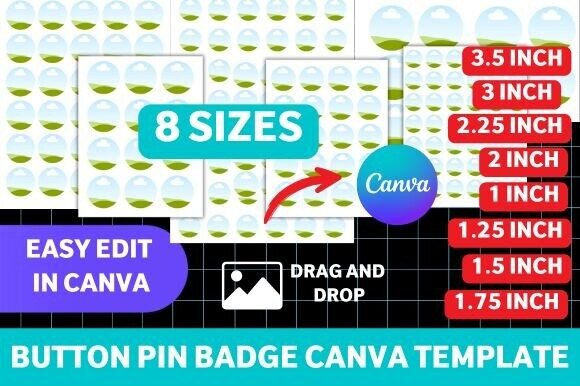
Think of this template not as a single file, but as a comprehensive production kit. It arrives with eight pre-sized circular layouts, covering the most popular badge dimensions from a petite 1 inch up to a statement-making 3.5 inches. Each size is a separate, editable page within Canva, with clear guides showing the safe area for your artwork and the trim line. The visual style is intentionally minimal and functional—it’s a blank slate. The appeal lies in its structure and professionalism. You’re not paying for a decorative design you’ll have to fight with; you’re investing in a correctly formatted framework that guarantees your final product will look polished and professional.
This makes the Canva Button Pin Badge Template incredibly versatile. It’s a perfect fit for:
- Small Business Owners creating branded merchandise for product launches or loyal customers.
- Event Planners designing custom badges for conferences, festivals, or team-building days.
- Content Creators & Influencers offering exclusive fan merch or promotional items.
- Crafters & Hobbyists producing unique pins for Etsy shops, local markets, or personal projects.
- Graphic Designers streamlining their workflow when fulfilling client orders for custom pins.
How to Use the Template for Maximum Impact
Getting started is simple. After opening the template in your free Canva account, you’ll see a series of pages, each dedicated to a specific pin size. The process is intuitive: select the page for your desired badge size, then use Canva’s upload feature to drag your pre-designed artwork—whether it’s a logo, illustration, or typographic design—directly onto the circular placeholder. The templates use modern typography and clean layouts to ensure your artwork remains the hero. You can adjust positioning, apply subtle Canva filters if needed, and even add simple text elements directly within the platform.
The real value emerges in the details. The template accounts for the physical manufacturing process. The print-ready files it helps you generate include proper bleed areas, which is critical for any professional printing service. This eliminates the guesswork and prevents the common disappointment of having key design elements chopped off during production. For those printing at home with a standard printer and badge-making machine, the circular layouts provide a perfect guide for cutting, ensuring a clean, professional finish every time.
Integrating Pins into Your Broader Brand Identity
A well-designed button pin is a powerful component of a cohesive brand identity. It’s a tactile, wearable piece of your marketing. When using the Canva Button Pin Badge Template, think about how the pin design connects to your other materials. If your brand uses a specific serif font for elegance, incorporate that into your pin’s typography. If your logo is built on a bold sans serif font, let that strength shine through. The template doesn’t dictate your style; it facilitates it.
Consider creating a small series of pins that tell a story or represent different facets of your brand. This could be a collection for a product line, a set of motivational quotes for your audience, or a series of iconic images related to your niche. The consistency provided by using the same professional template across all sizes ensures that whether a customer has the 1-inch pin or the 3.5-inch version, the quality and feel are unmistakably aligned with your brand. This consistency builds recognition and trust, turning a simple accessory into a marketing tool that keeps your brand in your audience’s line of sight.
Making the Right Choice for Your Needs
Evaluating whether this template is the right design asset for you comes down to your production method and goals. If you’re creating a one-off personal gift, it might be more than you need. But if you’re planning to produce even a small batch of pins for a project, business, or event, the time saved and the professional result are invaluable. It’s a classic case of using the right tool for the job.
Before you commit to a final design, use Canva’s preview function to check how your artwork sits within the circle. Does the text remain legible at the smallest size? Does the focal point of your graphic remain clear? Test different font pairings if your design includes text—a script font might pair beautifully with a clean display font for a whimsical look, while a handwritten font